Best uses
- Convert values for programming, colors, memory addresses, or debugging.
- Practice base-10 to base-16 conversion.
- Check hexadecimal examples step by step.
Convert decimal numbers to hexadecimal online, learn A to F remainders, and review examples, conversion steps, FAQs, and common mistakes.
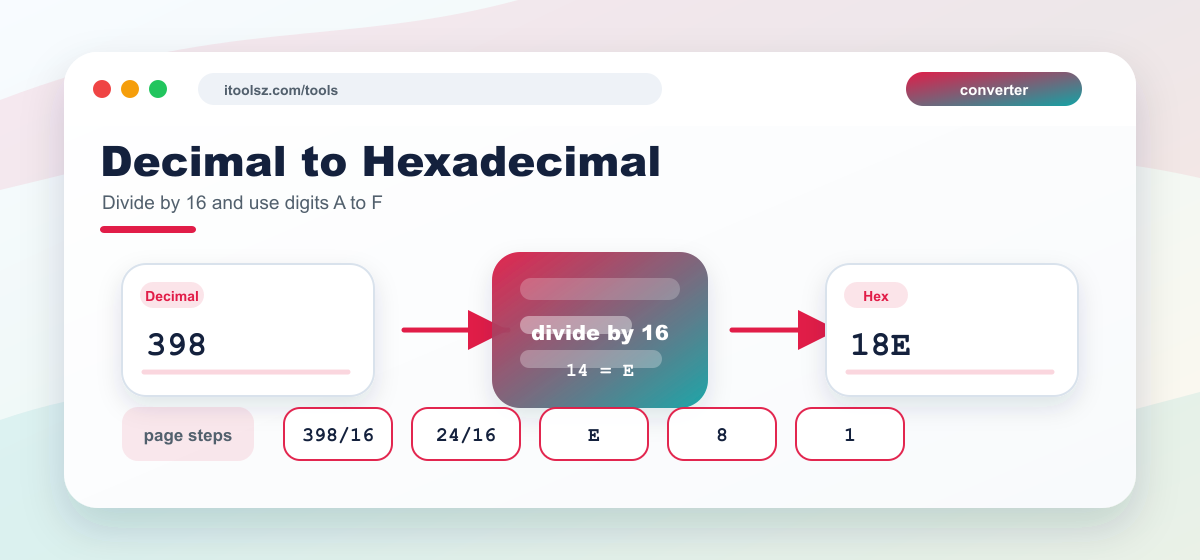
To convert the whole-number part of a decimal value to hexadecimal, divide by 16 and read the remainders in reverse order. For the fractional part, multiply by 16 repeatedly and record each whole-number result until the fraction becomes 0 or reaches the precision you need. The example below shows the process:
(398.375)10 = (?)16
| Divided by 16 | Quotient | Remainder | Flow |
|---|---|---|---|
| 398 / 16 | 24 | 14 or E | ↑ |
| 24 / 16 | 1 | 8 | ↑ |
| 1 / 16 | 0 | 1 | ↑ |
| Multiply by 16 | Result | Non-Fractional Part | Flow |
|---|---|---|---|
| .376 * 16 | 6.00 | 6 | ↓ |
Hexadecimal is widely used because it represents binary data in a shorter form. Decimal to hexadecimal conversion is common in color codes, programming examples, memory addresses, byte values, and debugging output. A decimal value such as 255 becomes FF, which is easier to recognize in many technical contexts.
| Decimal | Hexadecimal |
|---|---|
| 0 | 0 |
| 1 | 1 |
| 2 | 2 |
| 3 | 3 |
| 4 | 4 |
| 5 | 5 |
| 6 | 6 |
| 7 | 7 |
| 8 | 8 |
| 9 | 9 |
| 10 | A |
| 11 | B |
| 12 | C |
| 13 | D |
| 14 | E |
| 15 | F |
| 16 | 10 |
| 17 | 11 |
| 18 | 12 |
| 19 | 13 |
| 20 | 14 |
Decimal to hexadecimal conversion uses repeated division by 16. Remainders from 10 to 15 are written with letters A through F.
E represents decimal 14 in hexadecimal.
It is compact and maps neatly to binary because one hex digit represents four bits.